Dark web search, AI analysis and team investigations
DarkFindr serves two jobs: checking whether your organisation's data is exposed, and taking an investigation further once something turns up. The screens below follow one example from start to finish: a SOC team checking a suspected customer-data leak. ACME stands in for the customer, but the results shown are real DarkFindr findings, blurred to protect the organisations involved.
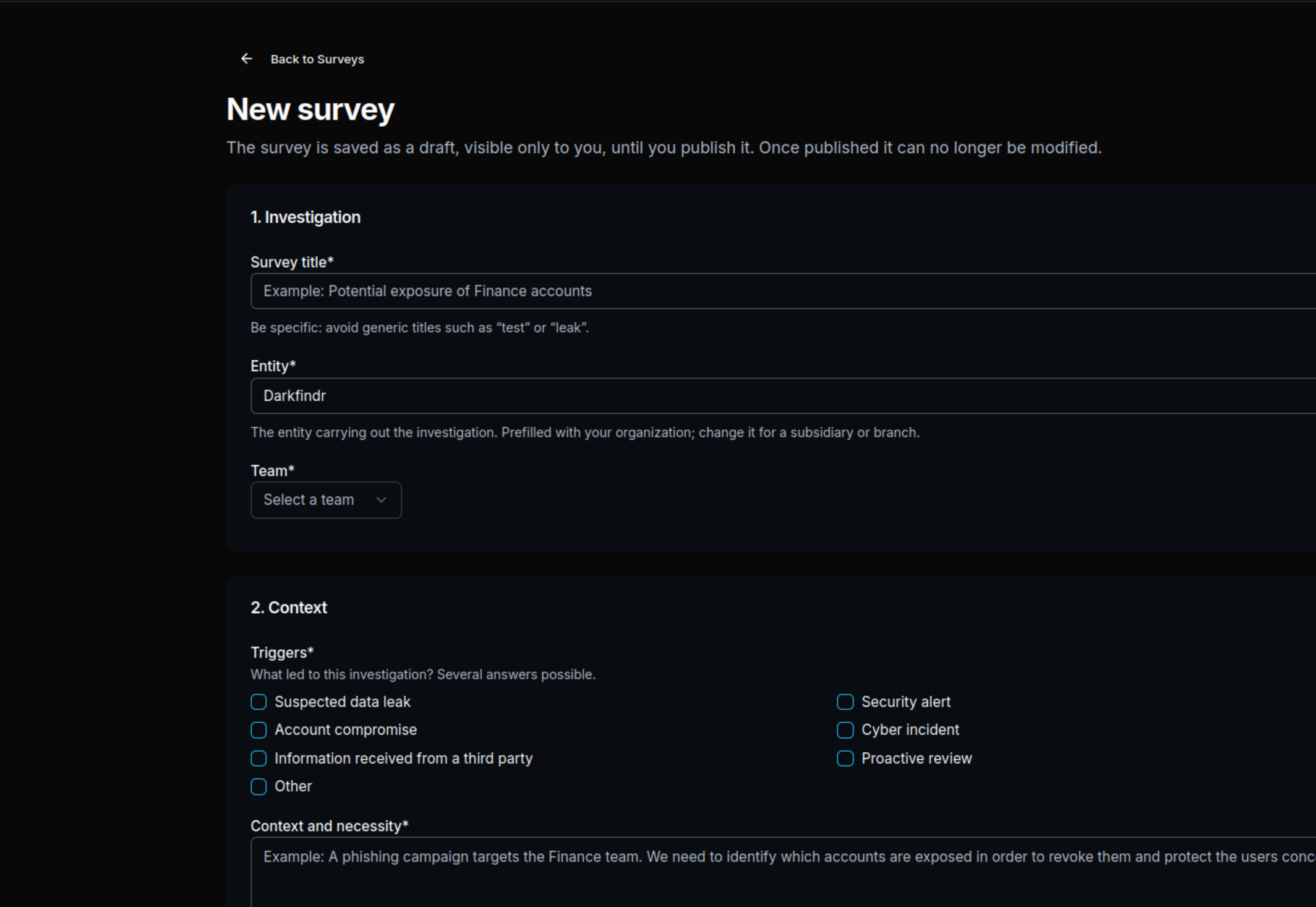
Define what you are looking for, and why
Every search in DarkFindr belongs to a Survey: an investigation with a name, a stated objective, a scope and a team. That frame is what makes results findable later, and what lets colleagues pick up where you left off.
- Name: Suspected customer-data leak — ACME
- Objective: find posts advertising the data for sale
- Scope: the company, its domain and the data concerned
- Team: SOC
Combine your criteria to narrow the results
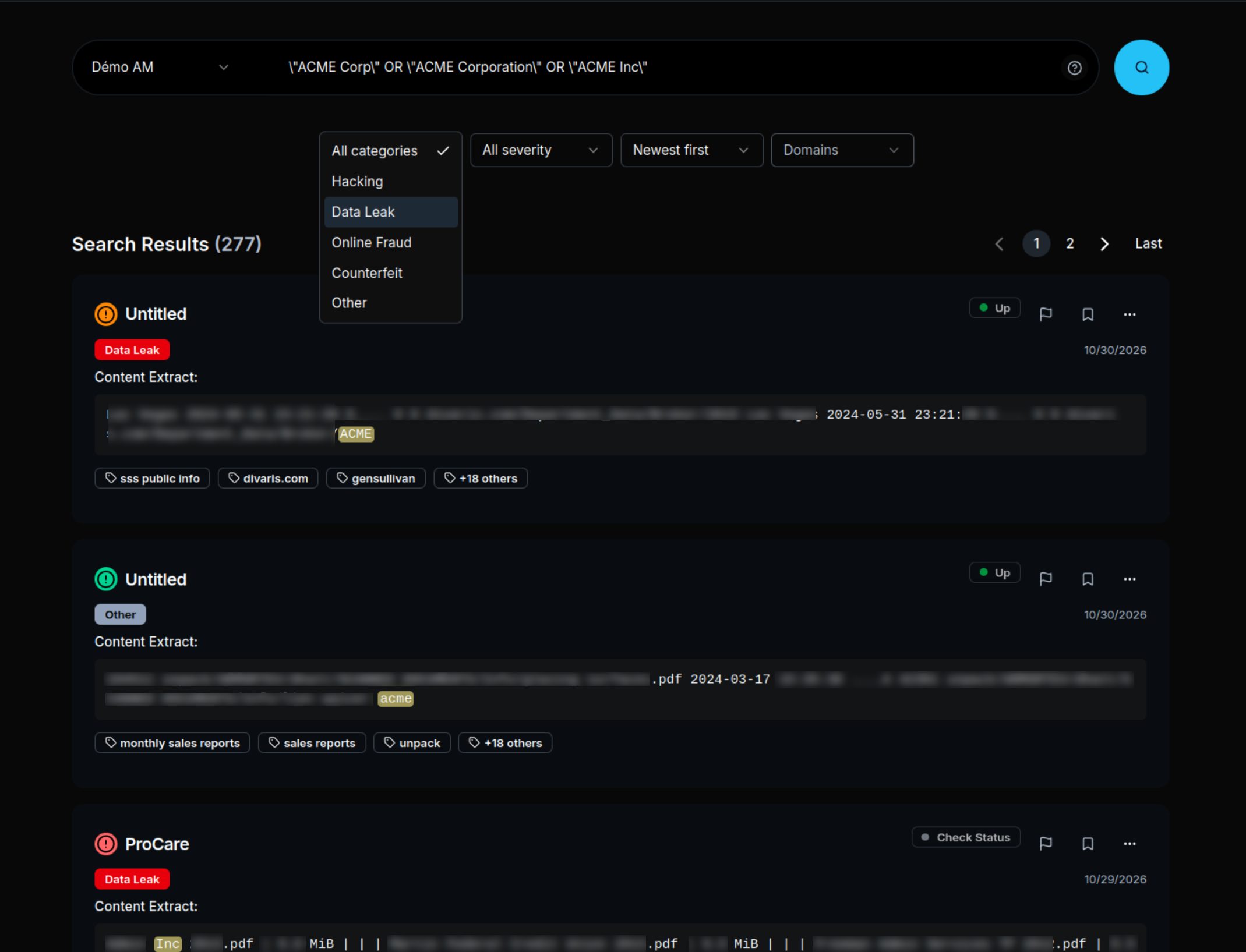
Search the collected content the way an investigator would: exact phrases, boolean operators, and pivots on a domain, an organisation, an identifier, a brand or a handle. The query stays visible, so the match between what you asked for and what came back is explicit.
- Exact-phrase search
- AND / OR / NOT to combine terms
- Pivot on a domain, organisation, identifier, brand or pseudonym
- Example query: "acme.example" AND "database"
Ask the agent to search for you
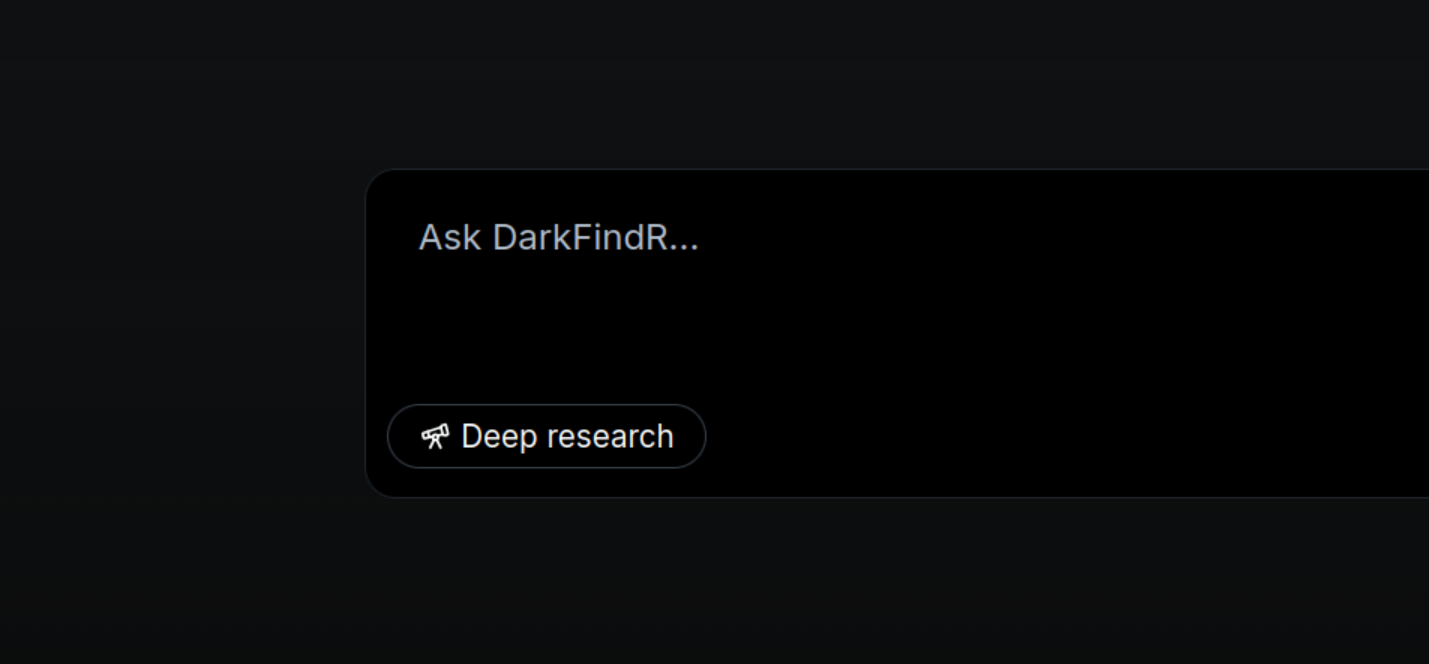
You do not have to build every query by hand. Describe what you are after in plain language and DarkFindr's agent searches the collected database for you, runs the queries, and comes back with the matching posts and how it found them. You stay in control: every result it returns is a real post you can open, read and save like any other.
- Ask in plain language
- The agent builds and runs the searches against the collected content
- Returns the matching posts and the queries it used
- Open any result in the reader or save it to the Survey
Examine the post, even if its source goes offline
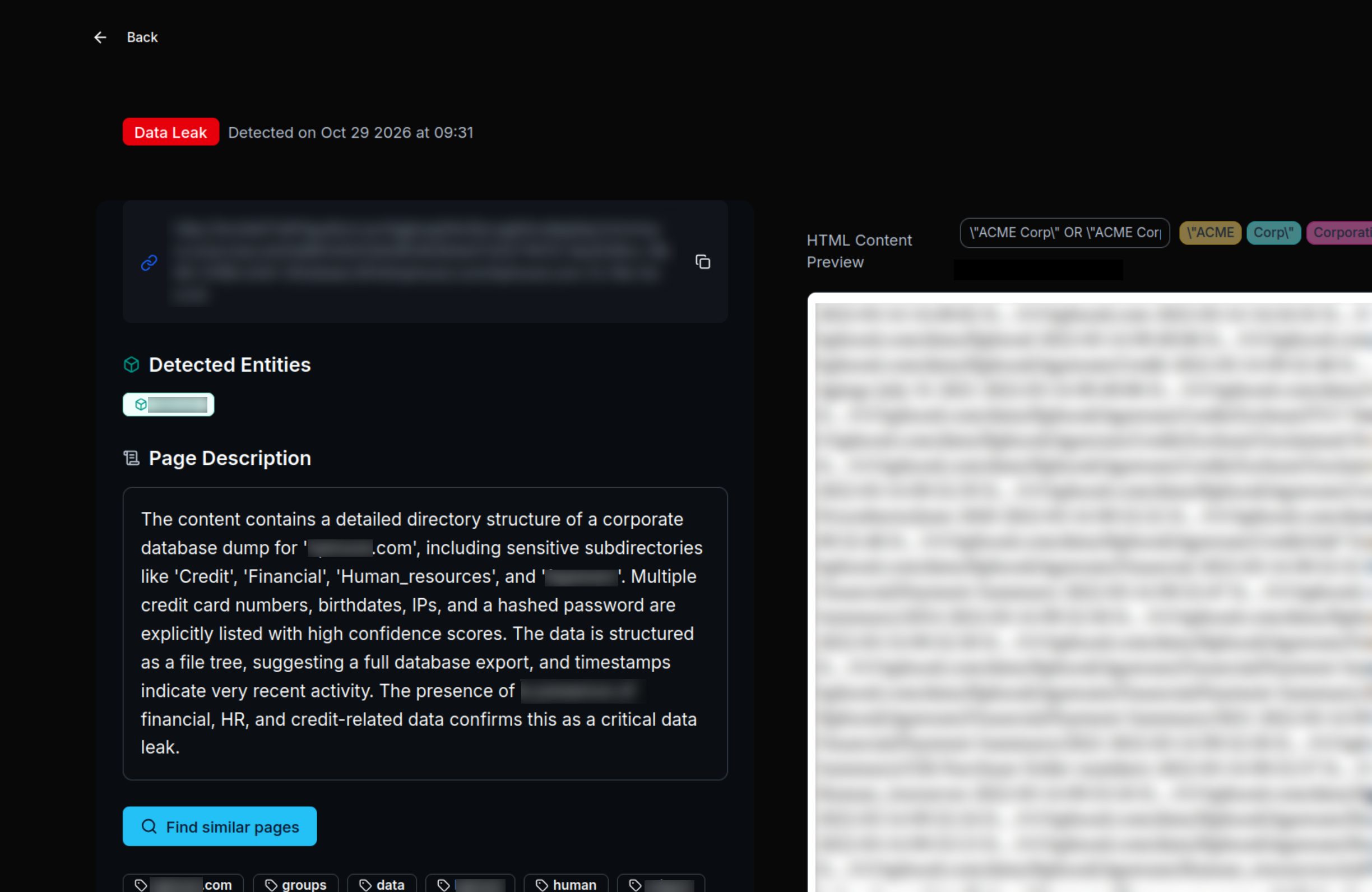
Finding a post is one thing; reading it is another. DarkFindr keeps the full collected text, without the images or layout of the original site, together with the source URL. If the source disappears after collection, the stored copy stays readable. Alongside it, an AI summary points out what the author claims to sell and which organisation they name: a first read to decide what to dig into, not a verdict.
- Full collected text, images and page layout stripped
- Source URL
- Stored copy, readable after the source becomes unavailable
- AI summary of what needs checking
Keep the posts your team needs to dig into
Searches turn into work you can come back to. Save the useful results as favourites, and give authorised colleagues access to the Survey with the permissions their role needs. The posts you kept stay available for the people who need to continue the analysis.
- Save useful results to favourites
- Access for authorised team members
- Role-based permissions: read, analyse, edit or manage
Be alerted the moment a match surfaces
You do not have to keep re-running your searches. As soon as new content matching the criteria you follow reaches DarkFindr, an alert appears in the platform, ready to open and examine.
- An alert is raised as soon as matching content is collected
- Alerts are consulted directly in DarkFindr, grouped by the criteria you follow
- Open the matching post straight from the alert to examine it
- Covers the recurring work of a SOC, alongside one-off searches
See your real exposure in 30 minutes.
We run DarkFindr live against your own keywords during the session. You leave with a list you did not have this morning, and a decision to make.